











CMS for manufacturing websites: choose how your team will publish
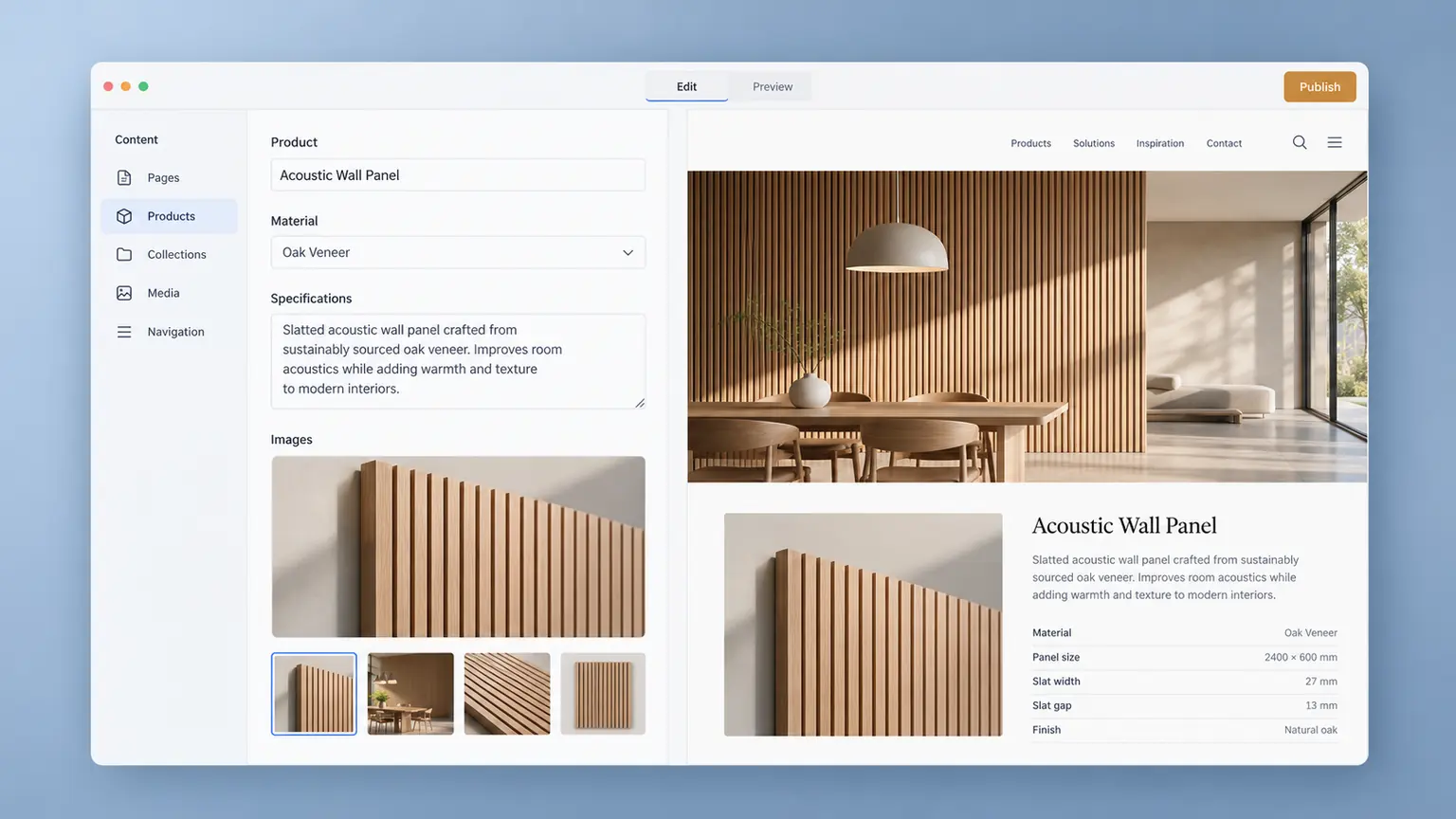
A CMS for manufacturing websites should let the right people update information accurately, review the result and publish it without rebuilding the page each time. Choosing that system is part of website development: it determines what your team can maintain after launch and which changes still need a developer.
Start with the work, not a list of platform logos. A company updating three service pages twice a year has different needs from a supplier maintaining hundreds of product records in several languages. This guide explains how to turn those differences into a practical selection brief. It does not assume that every website needs a complex administration system.
List the changes people will actually make
Ask sales, technical staff and marketing to name recent changes that should have reached the website. Examples include a replacement datasheet, a discontinued variant, a new application photograph or a changed enquiry recipient. Record who notices the change, who enters it and who can approve it.
Separate routine editorial work from development. Replacing a product image may belong to an editor; introducing a new comparison tool may require design and code. Agree that boundary before comparing systems. Otherwise, “easy to update” can mean very different things to the buyer and developer.
Use the website planning guide to establish the pages and buyer journeys first. A CMS decision should support that structure rather than force the website into whatever a demonstration happens to show.
Model repeatable information before choosing the editor
Decide which information needs a reusable record. A product might have a reference, application, material, dimensions, image and current document. A service page may need a different set of fields. Keep a single authoritative value where several pages use the same fact, with clear rules for any permitted exceptions.
Structured fields can help editors maintain consistency, but only when the model matches the business. A required number field is unhelpful when a property needs a range or a condition. Sanity’s schema documentation provides an example of defining document types and fields.
| Information | Editing requirement | Demonstration to request |
|---|---|---|
| Product reference and specifications | Named fields with suitable formats | Enter a range, unit and conditional note |
| Datasheet used on several pages | A clearly managed document reference | Replace the file and inspect every affected page |
| Application photograph | Image, description and usage context | Preview a new crop on phone and desktop |
| Retired product | An agreed withdrawal process | Check listings, old links and replacement information |
The product catalogue guide covers categories and buyer-facing product relationships. Here the question is whether the editing system can maintain that information without duplicate manual changes.
Define review and publishing permissions
Write down who can draft, review and publish. In a small team, one person may hold several responsibilities; that still needs to be explicit. A technical reviewer should be able to inspect a change without being expected to configure the website.
Ask the proposed supplier to show how those responsibilities work in the actual configuration. Are review states enforced or simply labels? Can an editor publish without approval? Can access be limited to the relevant content? Features and restrictions vary by implementation and service plan, so record what is included rather than assuming the platform name guarantees it.
The system cannot decide whether a production claim is true. Your content preparation and approval process remains responsible for evidence. The CMS should make that process practical, with a visible owner and a way to identify what changed.
Test previews with unfinished and awkward content
A preview is useful when it represents the page a visitor will see. Request a demonstration using an unpublished change, a long product name, a missing optional image and a specification table. Inspect narrow and wide layouts, not just the editor’s form fields.
Check how the preview is accessed, whether someone needs an account and whether draft information stays out of public pages and search listings. Preview access and publication rules must be configured and tested; a “draft” label alone is not proof that content is private.
Also ask what happens when publishing fails. Can the editor tell whether the public page changed? Who investigates a failed build or stale page? A useful handover explains the route from saving a record to seeing the approved update online.
Make translation maintenance visible
For a multilingual website, test one source-language change against its translations. The team should be able to identify which versions need review and avoid accidentally replacing a translation with source text. Agree which fields stay shared, such as product references, and which require independent wording.
Ask whether language editions publish together or separately, and what visitors see while a translation is pending. These are website behavior decisions, not simply a matter of adding more text boxes. The multilingual website guide covers market selection and localized page structure; the CMS brief should translate that plan into everyday editing tasks.
Check ownership, export and ongoing responsibilities
Confirm who owns the account, who pays recurring charges and who can grant or remove access. Document responsibility for software updates, integrations, backups and recovery. A hosted service and a self-managed installation may divide that work differently; ask for the actual division in the proposal.
Request a sample content export. Check whether it includes records, relationships and media references in a usable form, and whether original files can be obtained. Exporting content does not automatically recreate the website design or its functionality elsewhere. Record what a future move would require.
Separate initial configuration from continuing work in the website cost assessment. Training, additional editor access, translation workflow and maintenance should be stated clearly when they affect the agreed scope.
Evaluate a real product-change scenario
Use the same short scenario for each candidate. In a hypothetical equipment range, a product receives a revised datasheet and a new application image while an older variant is withdrawn. An editor prepares the changes, a technical colleague reviews them, and the approved content is published in the required languages.
During the demonstration, check that the team can:
- Find the correct record without guessing which page contains the original information.
- See every page and translation affected by the change.
- Review the rendered result before publication.
- Explain who may publish and how a mistake would be corrected.
- Confirm the update is public and the old document is handled as agreed.
- Complete the routine steps using the proposed editor accounts and included features.
Choose the system that supports these tasks with a manageable handover. Our industrial website approach starts with the information buyers need; the editing workflow should keep that information reliable. When discussing website development, bring a sample record, the people who will maintain it and one real update they need to perform.

Price your
website.
Compare website sizes and optional catalogue, content and SEO work in the website cost calculator.
Your website price Back to the blog